Studio Power Tools
These surfaces sit on top of the read and write APIs. They’re optional — none of them change the CRUD contract — but they’re what makes Studio useful as an admin tool rather than just a row browser.SQL preview
501 UNSUPPORTED — Studio doesn’t render
SQL it doesn’t run.
Query plans (explain=true)
Adding explain=true asks the driver to plan the rendered
statement and returns the result in a plan field alongside the SQL:
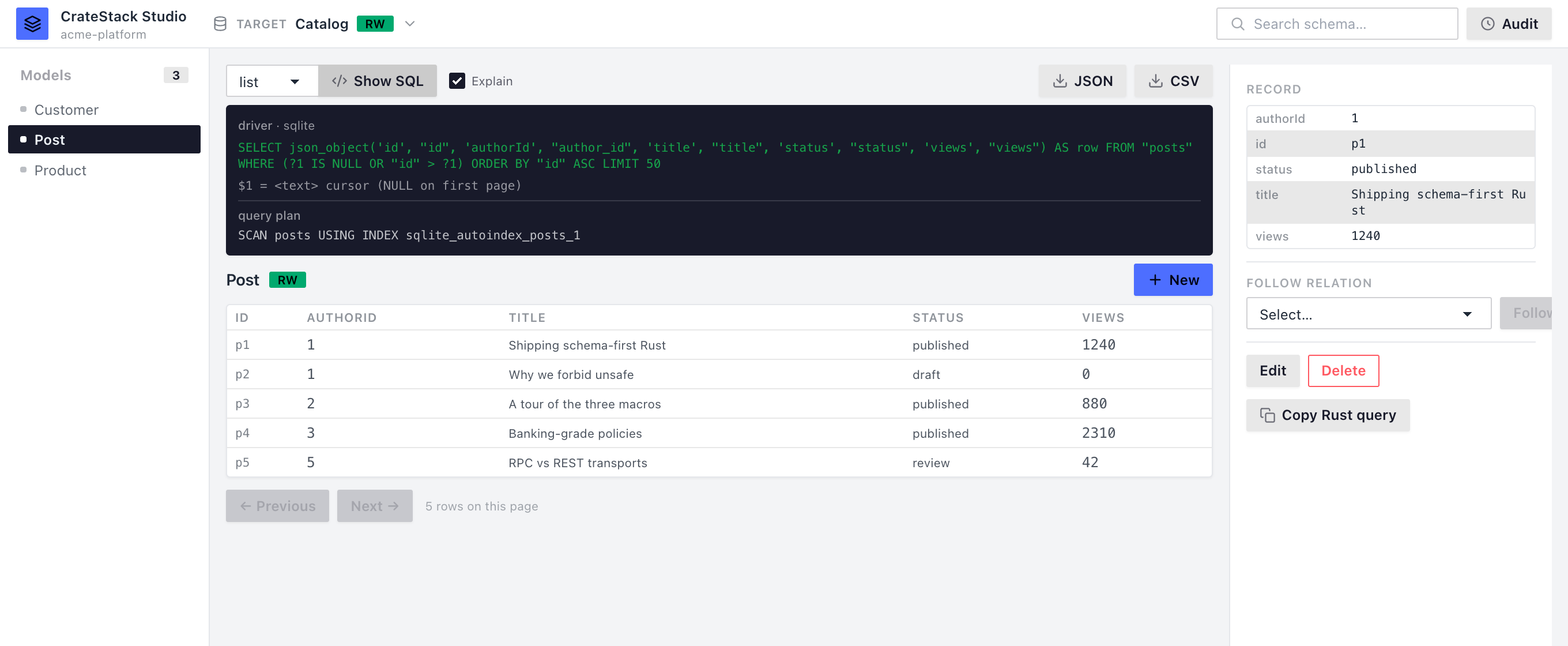
The same request from the UI — tick Explain next to Show SQL.
- Studio never runs
EXPLAIN ANALYZE. There is no config knob, no query parameter, and no code path that emits it — so “plan this” can never become “execute this”. - Only reads are planned.
create/update/deletereturn the preview plus a note instead of a plan. Beyond the defence-in-depth argument, the mutation previews bind placeholder sample values, so asking Postgres to plan them would fail on type inference rather than produce a plan worth reading.
op=get needs a pk= to bind against; without one you get a note
saying so rather than a plan. A backend that can’t plan at all still
returns the SQL preview you successfully asked for — a missing plan
never costs you the preview.
Drift
information_schema on Postgres, PRAGMA table_info on SQLite) and
reports the result per model:
⚠ drift chip next to drifting models in the
sidebar and ✕ table for missing tables.
CSV/JSON export
limit rows (capped at 10 000) through cursor
pagination internally and returns one body. Sets
Content-Disposition: attachment; filename="<target>-<table>.<ext>"
so the browser downloads the file straight from the link.
CSV uses RFC-4180-style escaping (quote-wrap on commas, quotes, or
newlines; double up embedded quotes). JSON is a flat array of objects,
field names as keys.
Schema search
Model.field path and the field’s type), enums and their variants,
mixins, types, and procedures. Empty query returns { "hits": [] }.
kind is one of model, field, type, enum, mixin,
procedure. The UI renders an inline dropdown directly under the
search bar in the header.
Audit log
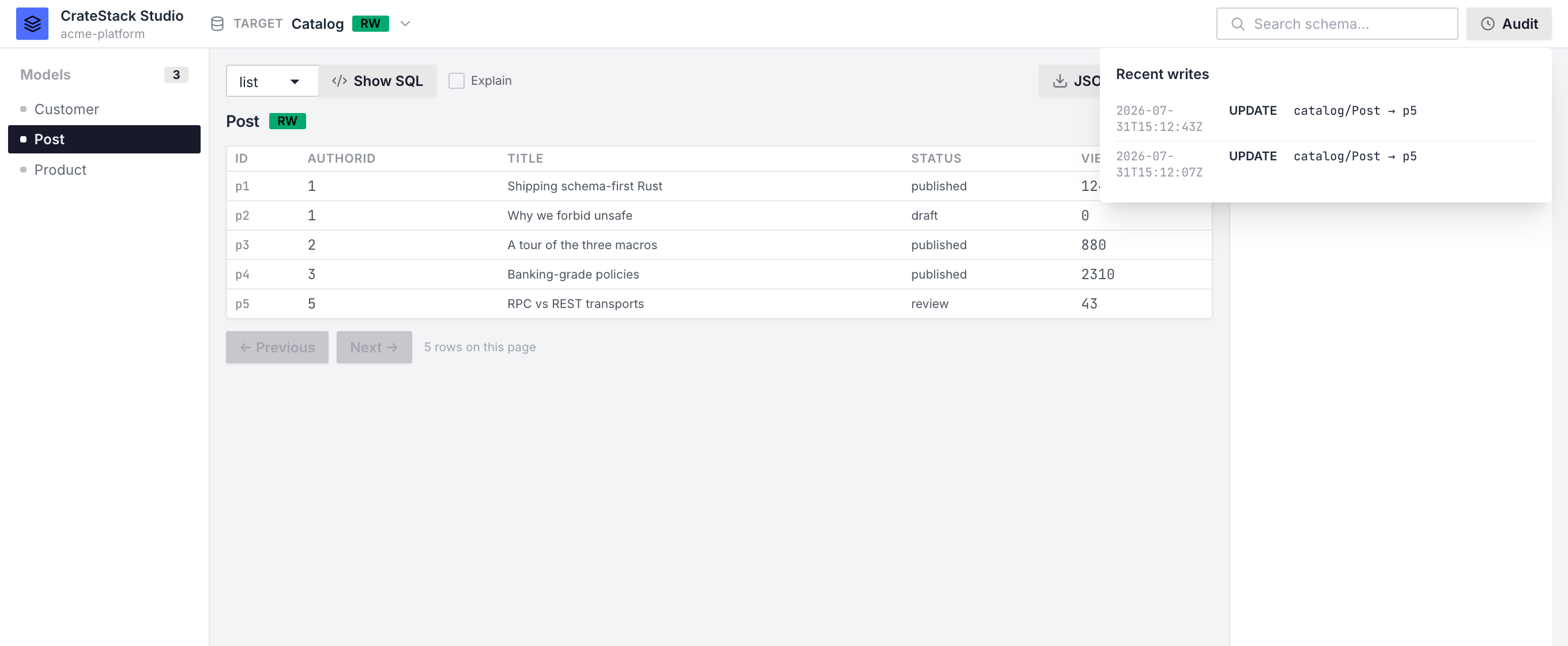
The audit overlay after two edits to catalog/Post, newest first.
Persisting the log
By default the ring buffer lives in process memory only, so restarting the binary clears it. Setaudit_file to also append every entry to a
JSONL file, replayed on boot:
- Opt-in. Unset, Studio writes nothing to your filesystem. Silently starting to drop a log file into someone’s repo is a behavioural change they didn’t ask for.
- Studio-local, never your database. The sink is a file next to
studio.toml. Studio has never created a table, and persisting audit rows into the target’s own schema would mean migrating the user’s database behind their back — wrong twice over forrotargets and for API-only targets that have no database at all. - Append-only, never rotated. That’s what makes it cheap to write
under a lock and safe to
tail -f. Not rotating is deliberate: an audit log that silently discards its own history is worse than no audit log. The in-memory ring the API serves stays capped however large the file grows. - Ids resume across restarts. Boot replays the file, keeps the newest entries up to the cap, and continues numbering above the highest id it saw — so resumed ids never collide with historical ones.
Constraint errors → VALIDATION_ERROR
Studio used to surface driver constraint failures asDATABASE_ERROR (500). Phase 4 maps the well-known codes back to the
same per-field VALIDATION_ERROR envelope as the in-process
validators:
Unrecognized errors still come back as
DATABASE_ERROR.
The wire envelope is identical to the in-process validator path
(see the write API page), so the UI doesn’t
care whether the rejection came from Studio’s pre-flight check or the
database’s constraint engine.